Smartphone Photo Printer Review
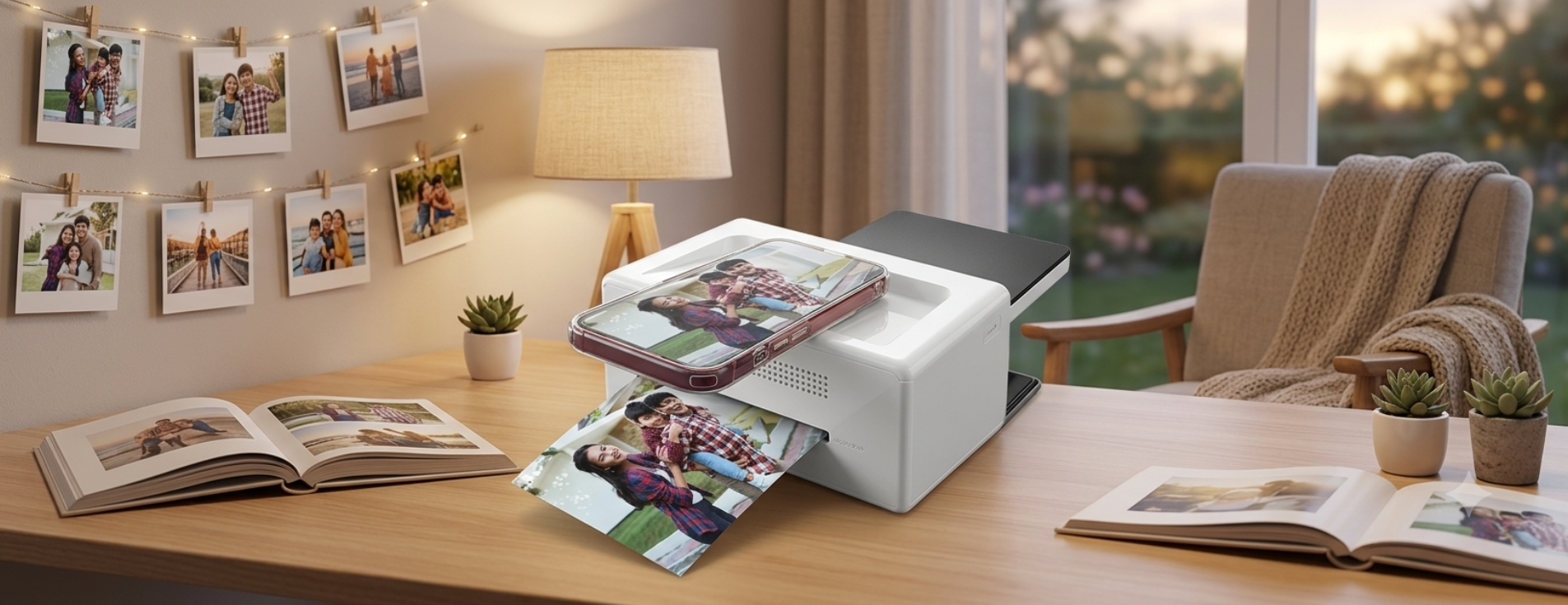
Looking for an honest smartphone photo printer review? If you want to turn your favorite phone photos into high-quality 4×6 prints at home, this review covers the Sharper Image Smartphone Photo Printer’s features, print quality, performance, pros, cons, and whether it’s worth buying.
How many thousands of photos are sitting “forgotten” in your phone’s camera roll right now? While we capture memories constantly, they rarely leave our screens. A compact smartphone photo printer promises to fix that, turning them into physical keepsakes within seconds.
With so many compact options flooding the market, is this trending device actually worth your cash? In this review, you’ll explore everything you need to know about the bestselling Sharper Image Smartphone Photo Printer to see if it deserves a spot on your desk.
What is the Smartphone Photo Printer?
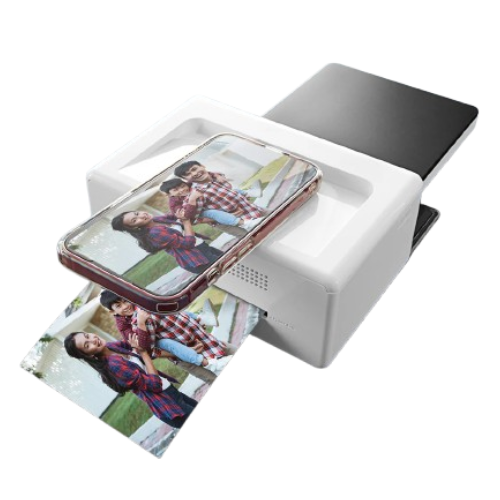
The Sharper Image Smartphone Photo Printer is a compact desktop device designed to print physical photographs directly from your iOS or Android devices. Unlike tiny instant printers that spit out credit-card-sized stickers, this machine focuses on producing traditional prints that look like they came straight from a professional photo lab.
Key Features
So, what actually makes this specific smartphone photo printer the best?
Here are its core selling points:
- True 4×6 Prints: No miniature novelty sizes here; it prints standard-sized photos ready for framing.
- All-in-One Cartridge System: Ink and paper are bundled into one neat, drop-in thermal ribbon cartridge.
- Direct Docking & Wireless Printing: You can dock your phone physically via an integrated port or connect wirelessly via Bluetooth/Wi-Fi.
- Protective Laminate Layer: The printing process seals the image to prevent damage from water, fingerprints, and UV fading.
Technical Specifications
To understand exactly what this machine is packing under the hood, let's look at the raw specifications:
What's Inside the Sharper Image Printer Box?
What's Included in the Box
When you open up the packaging, you get everything needed to get started, though the included testing materials run out fast.
- The Smartphone Photo Printer Dock
- AC Power Adapter and Wall Cord
- 1 Starter Ink/Thermal Ribbon Cartridge
- 10 Sheets of 4×6 Photo Paper
- Paper Cassette (Tray)
- User Instruction Manual
Design and Build Quality
This printer features a sleek, white chassis that fits right at home on a desk or nightstand. While lightweight, the build feels sturdy enough to handle regular cartridge swaps without rattling.
- Smart Layout: Features a front pull-down door for the paper tray and a top-facing power button next to a secure phone indentation.
- Desk-Friendly Footprint: Compact enough to tuck into a desk drawer when you're done printing.
- Desktop vs. Pocket: Keep in mind that while it's highly space-saving, it requires an AC outlet and won't fit into a small handbag.
How Good Is the Print Quality of the Smartphone Photo Printer?
Wondering if the physical photos live up to what you see on your screen? Here is how this printer performs when it comes to visual sharpness and raw speed.
Print Quality
Thanks to 4PASS Dye-Sublimation technology (real ink ribbons), this machine easily crushes pocket-sized instant printers. It delivers rich colors, natural skin tones, smooth gradients, and sharp details that look straight from a professional photo lab.
Print Speed
Printing takes roughly 60 seconds per photo. The machine passes the paper back and forth to apply color layer by layer (yellow, magenta, cyan, and a clear coat). It isn't lightning-fast, but watching the physical image build dynamically is incredibly satisfying.
Durability of Prints
Ever worry about a spill ruining your physical photos? Thanks to that final protective overcoat layer, these prints are built to last.
- Smudge-Proof: The glossy surface is completely dry and safe to touch the moment it pops out.
- Life-Proof: The prints are fingerprint-proof and highly water-resistant, meaning colors won't bleed or fade if exposed to sticky fingers or minor humidity.
Is the Sharper Image Smartphone Printer App Easy to Use?
A great printer is only as good as the software driving it, so how does the digital experience actually hold up?
Editing Features
The companion app gives you a decent suite of tools before you commit your image to paper:
- Basic Adjustments: Quickly tweak brightness and contrast, and apply basic color filters.
- Creative Extras: Add text overlays or decorative frames to customize your shots.
- Fun Templates: Use built-in layouts to create quick photo collages or custom ID badge prints.
User Interface
The app gets the job done, but feels rigid. While basic printing works fine, the clunky cropping tool makes it tricky to fit widescreen phone shots into a 4×6 frame without clipping your edges. It lacks polish but remains highly functional.
Who Should Buy the Sharper Image Smartphone Photo Printer?
Are you wondering if this specific gadget aligns with your printing habits? Let's take a quick look at who will get the most joy out of this device and who should probably skip it.
Best For
- If you need crisp, high-quality prints for immediate art projects without waiting days for delivery.
- Perfect for instantly printing a memory to slide into a holiday greeting card or hand to grandparents before they go home.
- Anyone who wants premium-looking, fade-resistant photos to display in standard frames around the house.
Should You Buy It? Let's Look at the Pros and Cons
Before making your final choice, let's weigh the best and worst parts of this device.
Pros of the Sharper Image Photo Printer
- Stunning, rich color accuracy with a smudge-proof laminate layer.
- True 4×6 photo sizes that easily fit standard retail frames.
- Mess-free, all-in-one cartridge reloading.
- Sleek, minimalist design look that enhances home workspace environments.
Cons of the Sharper Image Photo Printer
- Requires a wall power outlet to operate (not battery powered).
- The companion mobile app can occasionally suffer from clunky pairing updates.
- Per-print costs are higher than those of traditional retail photo lab printing centers.
FAQS
Does the Sharper Image Smartphone Photo Printer Work with an iPhone?
Yes. The printer works with all modern iPhone and iPad models via the companion "SI Smartphone Printer" app, supporting iOS versions 9.0 and later.
Is It Compatible with Android Phones?
Absolutely. It is fully compatible with Samsung Galaxy and all other major Android devices operating on Android OS 4.0.3 or higher through the Google Play Store app.
Does It Print 4×6 Photos?
Yes! Unlike pocket sticker printers, this specific desktop unit prints standard 4×6-inch photographs with clean, perforated edges for an easy tear-away professional finish.
What Printing Technology Does It Use?
It uses 4PASS Dye-Sublimation technology. This thermal transfer method runs the paper back and forth to apply yellow, magenta, and cyan dye layers sequentially, followed by a clear protective top laminate layer.
So, should you pull the trigger on the Sharper Image Smartphone Photo Printer?
If you are looking for an ultra-portable device to stick in your pocket for parties, look elsewhere. But if you want a reliable, beautifully styled desktop accessory that transforms your favorite smartphone pictures into stunning, professional-grade 4×6 physical photographs instantly, this Sharper Image smartphone photo printer delivers beautifully on its promise.
Stay tuned to ChicFitWorld for more in-depth product reviews, buying guides, and wellness essentials.
Related Blogs
Nintendo Switch Case 2 Review for Players Who Hate Bulky Cases
Latercase keeps Switch 2 protection unusually slim at 0.6 mm. This review looks at where that approach works and where added protection still makes sense.

3 Best Coldest Tumblers to Try in 2026
Looking for a tumbler that keeps your drinks cold while fitting easily into your everyday routine? Here are three of the coldest 20 oz Tumbler v2 designs worth considering.

7 Reasons Pet Owners Need An Air Purifier At Home
Pets bring plenty of joy to a home, but they can also leave behind odors, dander, and other airborne particles. If you want your space to feel fresher, an air purifier can be a simple addition to your everyday routine.